Claude Code Agent View
One screen for every background session

Anthropic shipped Agent View…
One command, claude agents, and you get a dashboard of every Claude Code session running on your machine.
It is in research preview.
It is also the most consequential UX change to Claude Code since subagents.
Dispatch many. Watch state. Step in only when needed.
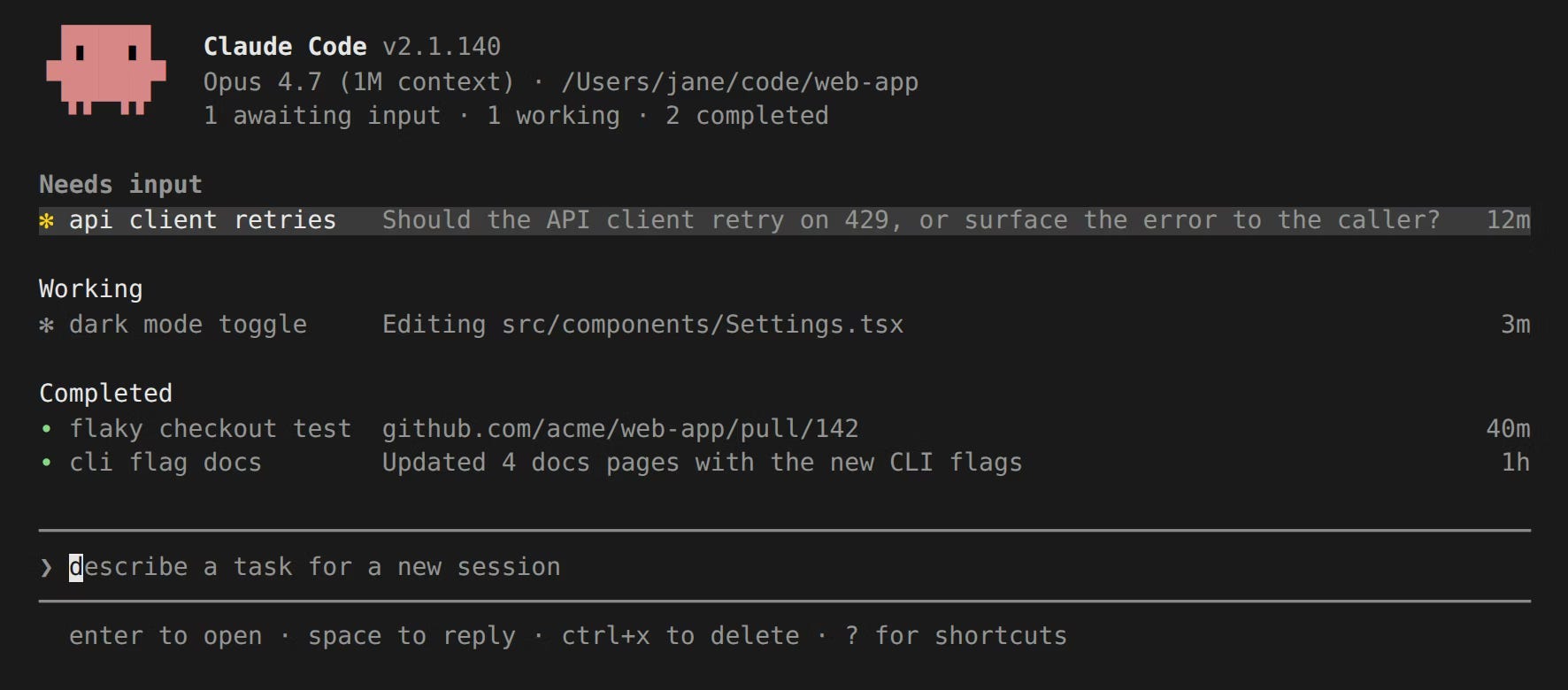
So what does it actually do?
A terminal dashboard for background Claude Code sessions.
Each row is a full Claude Code conversation that keeps running with no terminal attached.
You can close the window, close your shell, start a new session…the dispatched work keeps going.
The work is hosted by a per-user supervisor process that sits separately from your terminal.
Background sessions are detached child processes the supervisor manages.
This is harness, not model. And harness is where the gains are now.
A quick note on naming
Anthropic uses two names for the same thing.
Agent View is the product name…the dashboard UI.
claude agents is the shell command that opens it.
When someone says Claude agents in this context, they almost always mean Agent View.
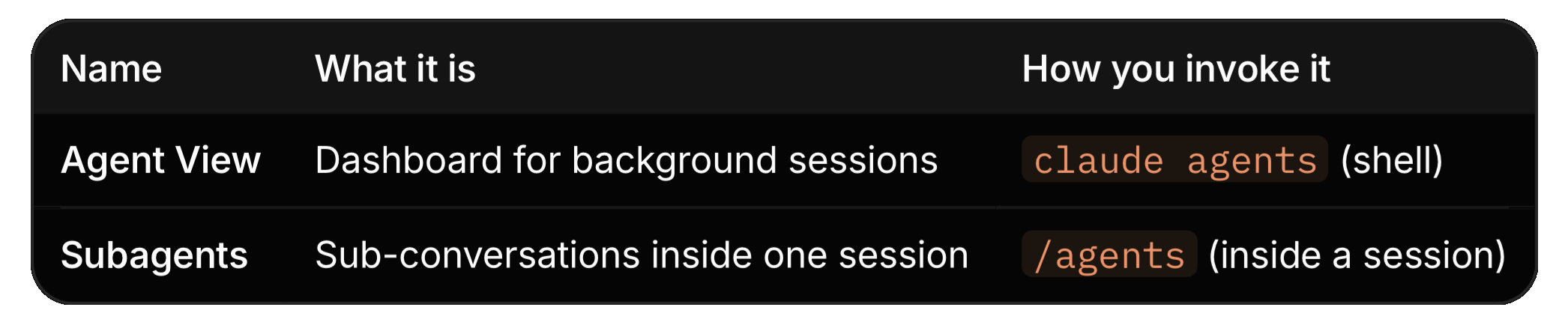
Do not confuse this with subagents.
Subagents are an older, separate feature…custom agents defined in frontmatter, managed with /agents inside a session.
They are sub-conversations spawned inside a single Claude Code session.
Agent View is the dashboard across sessions.
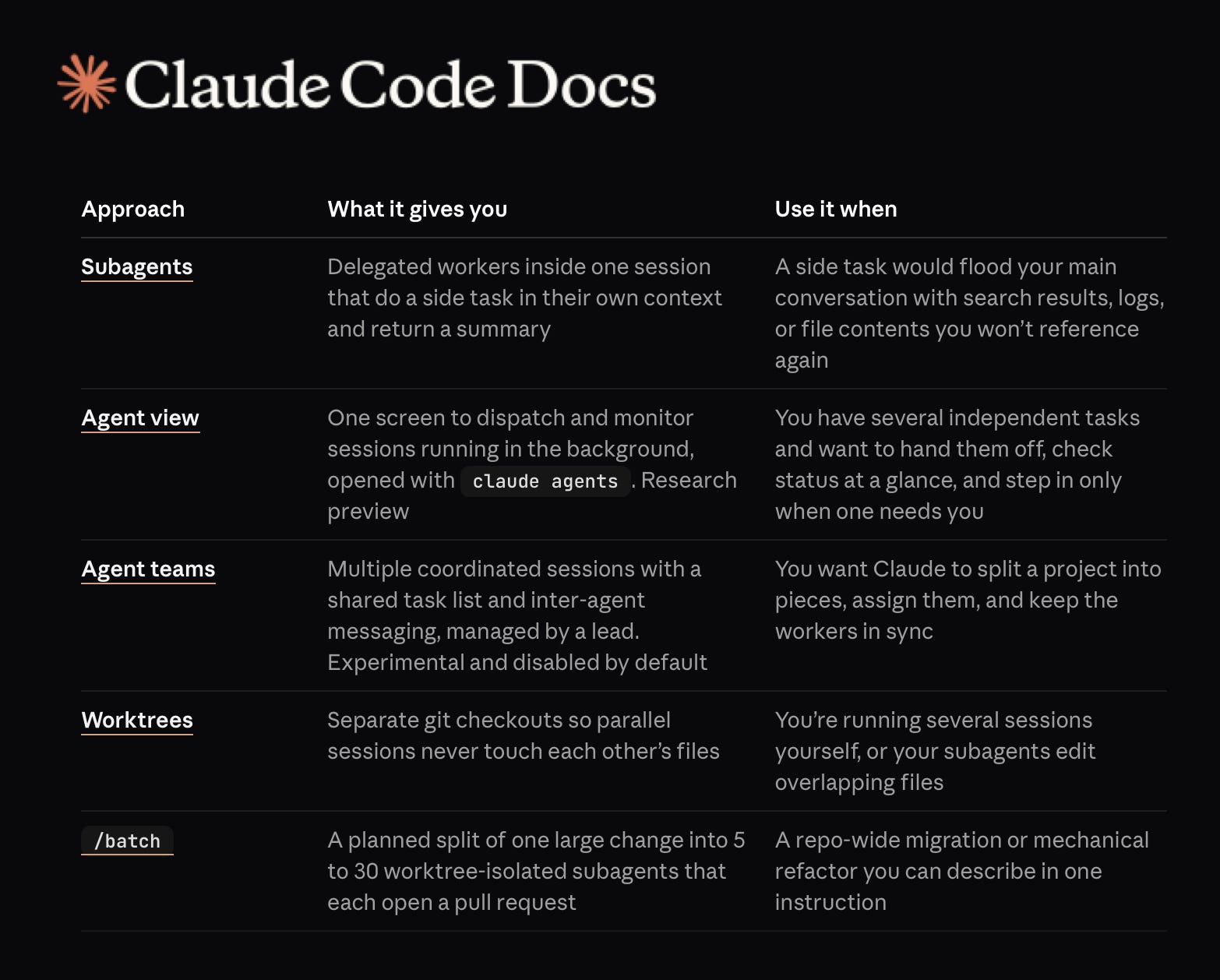
Anthropic Is quietly redrawing the map of agentic development…The latest Claude Code Docs lay out five distinct approaches to agency. Each one solves a different shape of work.
Subagents are delegated workers inside one session. They take a side task, run in their own context, and return a summary. The main conversation stays clean.
Agent view uses one screen to dispatch and monitor background sessions.
Hand off independent tasks, glance at status, step in only when needed.
Agent Teams are multiple coordinated sessions. A shared task list. Inter-agent messaging. Managed by a lead. Still experimental, disabled by default but the direction is unmistakable.
Worktrees are separate git checkouts so parallel sessions never collide on overlapping files.
This is a taxonomy of delegation.
Anthropic is no longer optimising for a single AI assistant.
They are building the scaffolding for orchestrated AI labour…coordinated, isolated, observable, parallel.
But, ease of access compresses the learning curve.
A developer can now spawn agent teams, parallel worktrees and batch refactors before fully understanding what any of them are doing.
So the danger is not capability.
The danger is dependency without comprehension.
When the tooling becomes this fluent, the temptation is to stop reading the diff.
To stop questioning the architecture.
The danger is to outsource judgment alongside the labour.
The importance
For months the answer to “run agents in parallel” has been:
open more terminals,
juggle tmux panes,
lose track of which session is blocked on what.
Agent View collapses that into a single grouped list:
Ready for review: sessions that opened a PR
Needs input: sessions waiting on a question
Working: sessions actively running tools
Completed: finished, failed, or stopped
A status dot on the right of each row mirrors the PR check state. Green dot, you merge. Yellow dot, you look.
Three things to internalise:
Background sessions are not terminal-bound. A session does not die when you close your terminal.
The supervisor owns it.
Edits are isolated by worktree. Before writing files, a background session moves itself into .claude/worktrees/<id>/.
Parallel sessions read the same checkout but write to their own. No more “two agents fighting over the same file.”
Sessions are local. They do not survive sleep or shutdown. Wake the machine and run claude respawn - all.
Practical walk-through
Try this end-to-end. Five minutes.
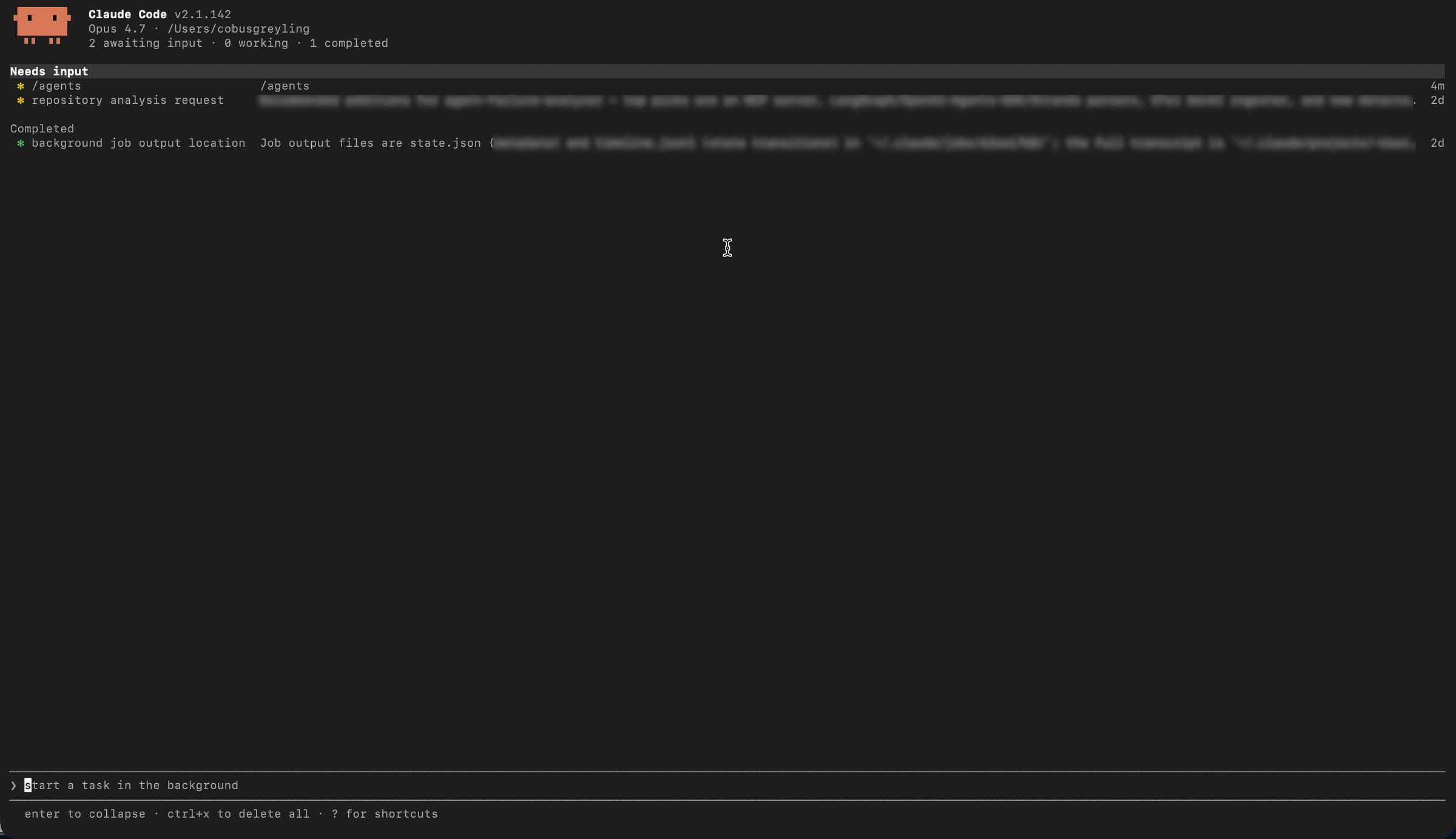
Step 1: Open Agent View
claude agents
You land on an empty dashboard. Header shows your Claude Code version, current model, working directory, and a session counter.
Step 2: Dispatch Three Sessions In Parallel
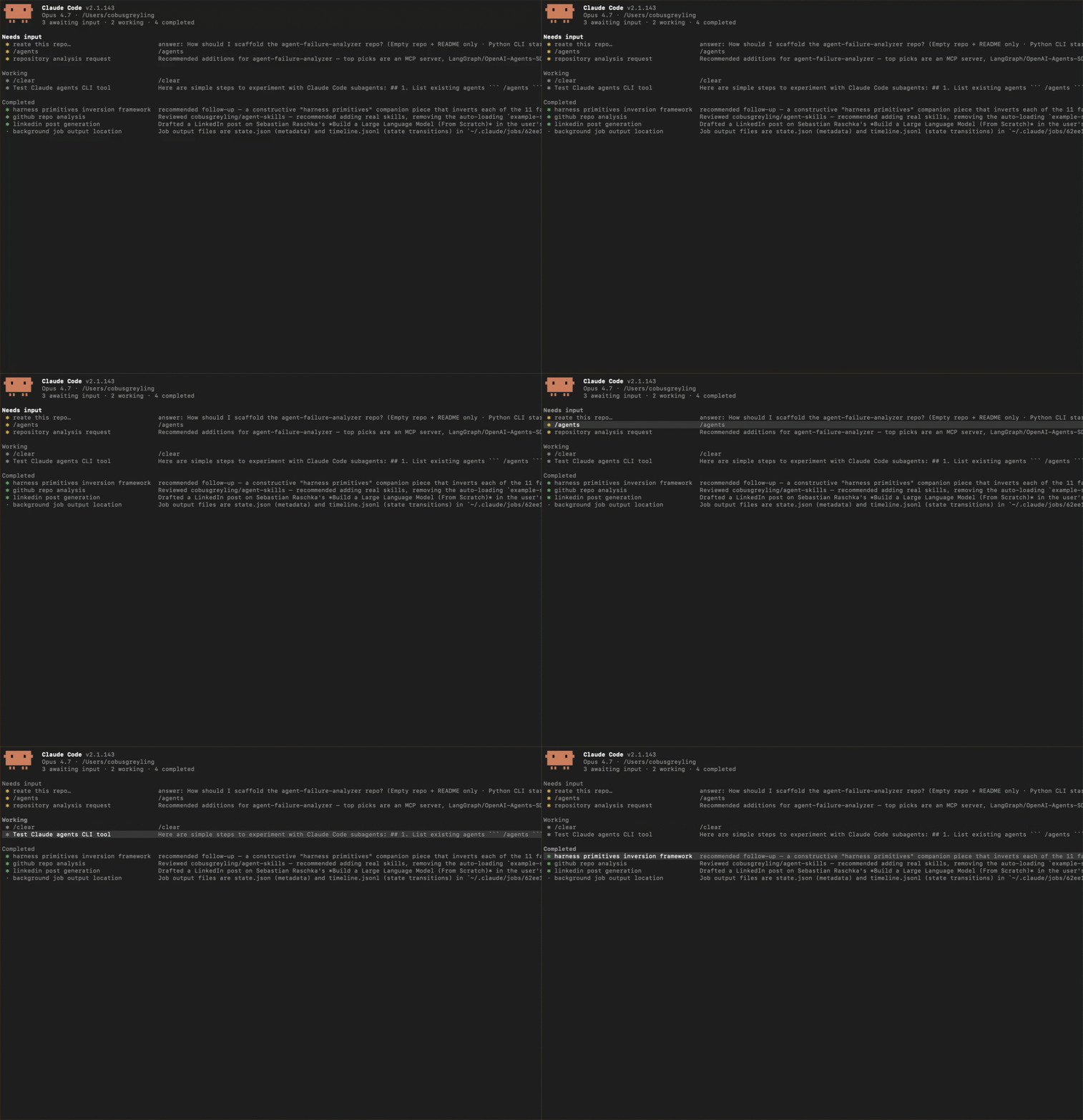
At the input at the bottom, type a task and hit Enter. Then immediately type another. Then a third.
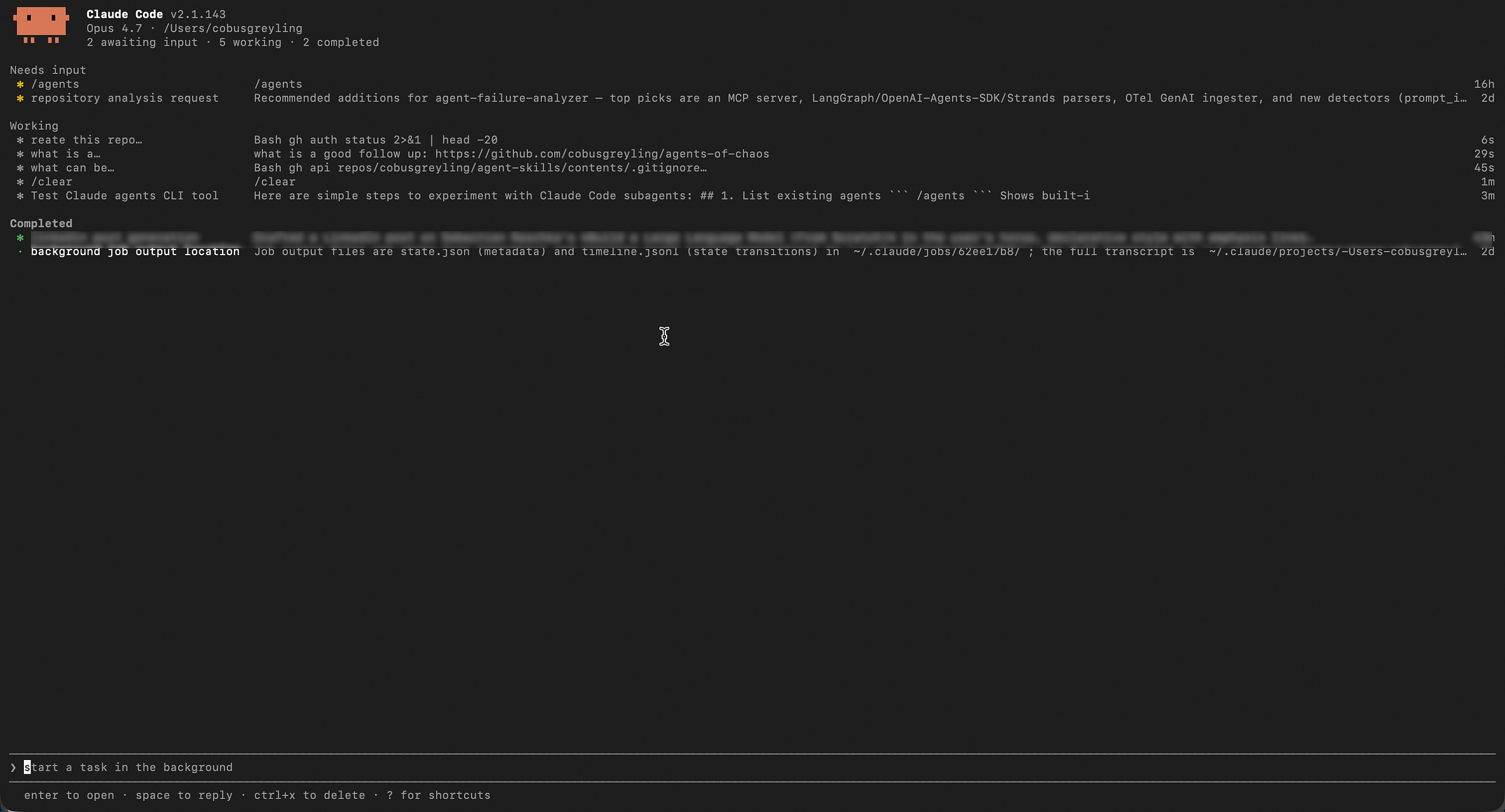
In the example below, I ask Claude to review three of my repo’s in paralel.
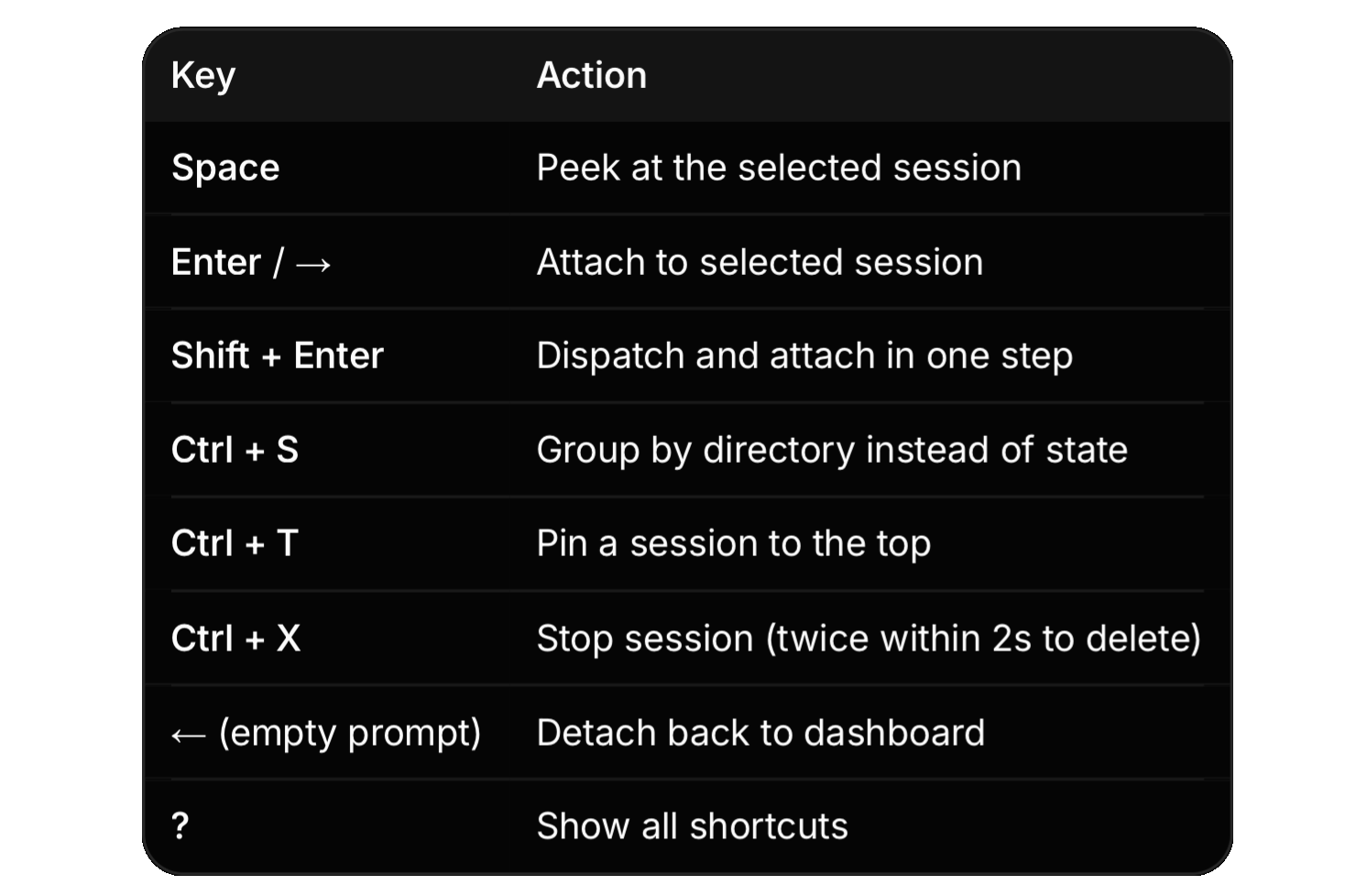
A number of of key actions to navigate.
Honest limitations
Quota multiplies, ten parallel sessions burn quota ten times faster.
Local only. Laptop sleeps, sessions stop. claude respawn — all to restart.
Worktrees evaporate on delete. Push or commit before pressing Ctrl+X twice.
Row summaries cost a Haiku call every ~15 seconds while a session is working.
The implication
The unit of work in Claude Code is shifting.
For a year the unit was the session…one terminal, one conversation, your full attention.
Agent View makes the unit the task: dispatch it, let the supervisor run it, look in when a dot turns yellow.
The model writes the code. The harness decides whether ten of them can run at once without you losing the plot.
Agent View is the harness catching up.
Chief AI Evangelist @ Kore.ai | I’m passionate about exploring the intersection of AI and language. From Language Models, AI Agents to Agentic Applications, Development Frameworks & Data-Centric Productivity Tools, I share insights and ideas on how these technologies are shaping the future.
Manage multiple agents with agent view - Claude Code Docs
Dispatch and manage many Claude Code sessions from one screen. Agent view shows what every session is doing and which…code.claude.com
COBUS GREYLING
Where AI Meets Language | Language Models, AI Agents, Agentic Applications, Development Frameworks & Data-Centric…www.cobusgreyling.com