Claude Code Sandbox Options
Three Ways to Safely Run AI-Generated Code — A Developer’s Guide

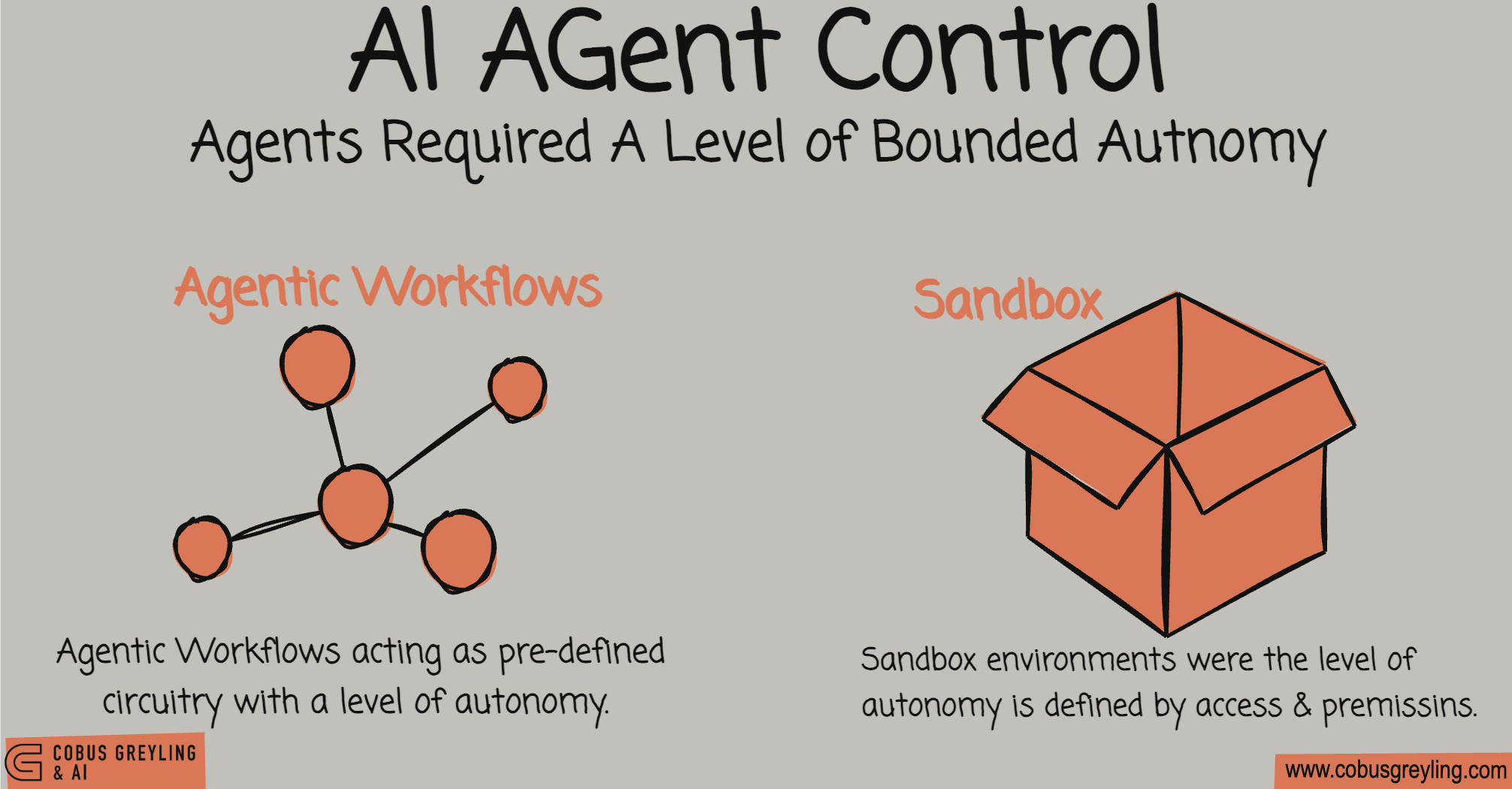
Both AI Agents and Agentic AI cannot be deployed having full autonomy, especially in the enterprise setting. There needs to be something I refer to as bounded autonomy.
Bounded autonomy is implemented by means of something we call now agentic workflows. This is where the workflowserves as the basic guiding circuitry of the agent, and there is a level of bounded agency within the pre-defined circuit or workflow.
But there is a second avenue to implement control and that is via a sandbox approach, where one or more sandboxes are created with pre-defined levels of access in terms of systems, networks, protocols and more.
I also see sandboxing as the way forward for truly autonomous agents.
Let me explain…
For agents to be truly autonomous, it cannot be bounded by a finite set of tools pre-defined tools or workflows.
The agent must be able to write code in order to execute a task, especially if it is a novel or new task…this is what Anthropic describes as a universal agent.
But this begs the question, how do you introduce control and guidance for such an agent? Considering you cannot make use of pre-defined workflows or finite tools?
Well you create sandbox environments.
Because when building AI code agents, one of the most critical decisions you’ll face is how to isolate and run the code they generate.
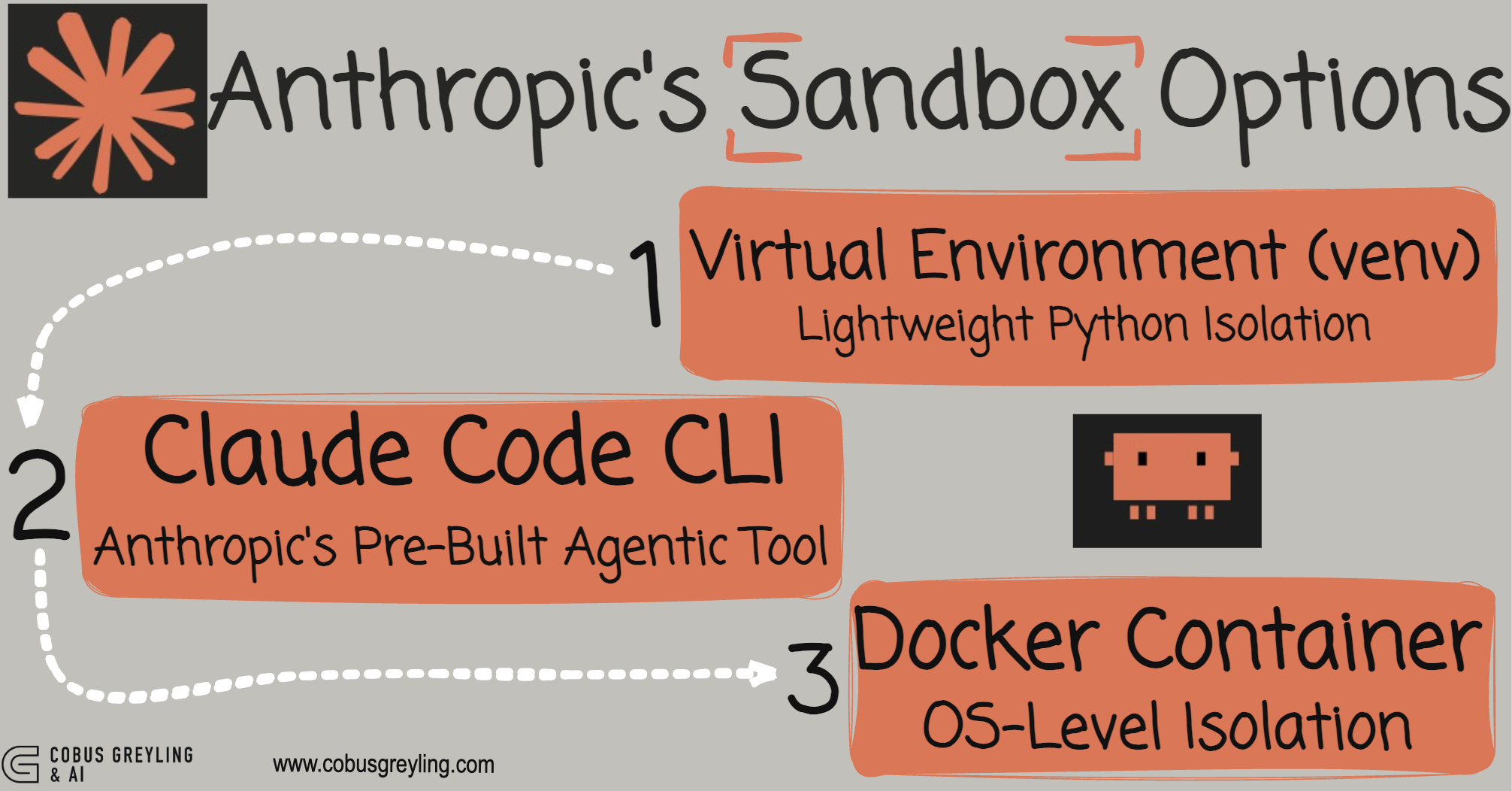
But there are three options…
Should you use a simple virtual environment?
Spin up a Docker container?
Or leverage a specialised tool like Claude Code Sandboxing?
Let’s break down these three paradigms so you can choose the right approach for your project.
Below I try and breakdown the differences…
Virtual Environment (venv)
Lightweight Python Isolation
A Python virtual environment is the lightest-weight option, providing directory-based isolation that keeps Python packages separate from your system Python installation.
In principle, when you create a virtual environment, Python sets up a folder (typically called something like sandbox_env/) containing its own copy of Python and pip.
Once activated, your terminal uses this isolated Python installation instead of your system’s default one.
The key thing to understand is that this only isolates Python packages, not your entire system.
Your code still runs directly on your host machine with full system access.
Security Level — Low
Virtual environments offer low isolation.
While they’re excellent for preventing package conflicts and keeping your projects clean, the code inside can still access your files, network connections, and system processes.
This makes them unsuitable for running untrusted or potentially dangerous code.
Virtual environments works well for
Quick development and testing
Situations where you trust the code being generated
Avoiding clutter in your system Python installation
Projects where setup speed matters most
python3 -m venv sandbox_env      # Create it
source sandbox_env/bin/activate  # Use it
deactivate # Exit itDocker Containers
OS-Level Isolation
Docker creates a lightweight virtual computer (called a container) that runs in complete isolation from your host machine. Think of it as a mini Linux machine running inside your system.
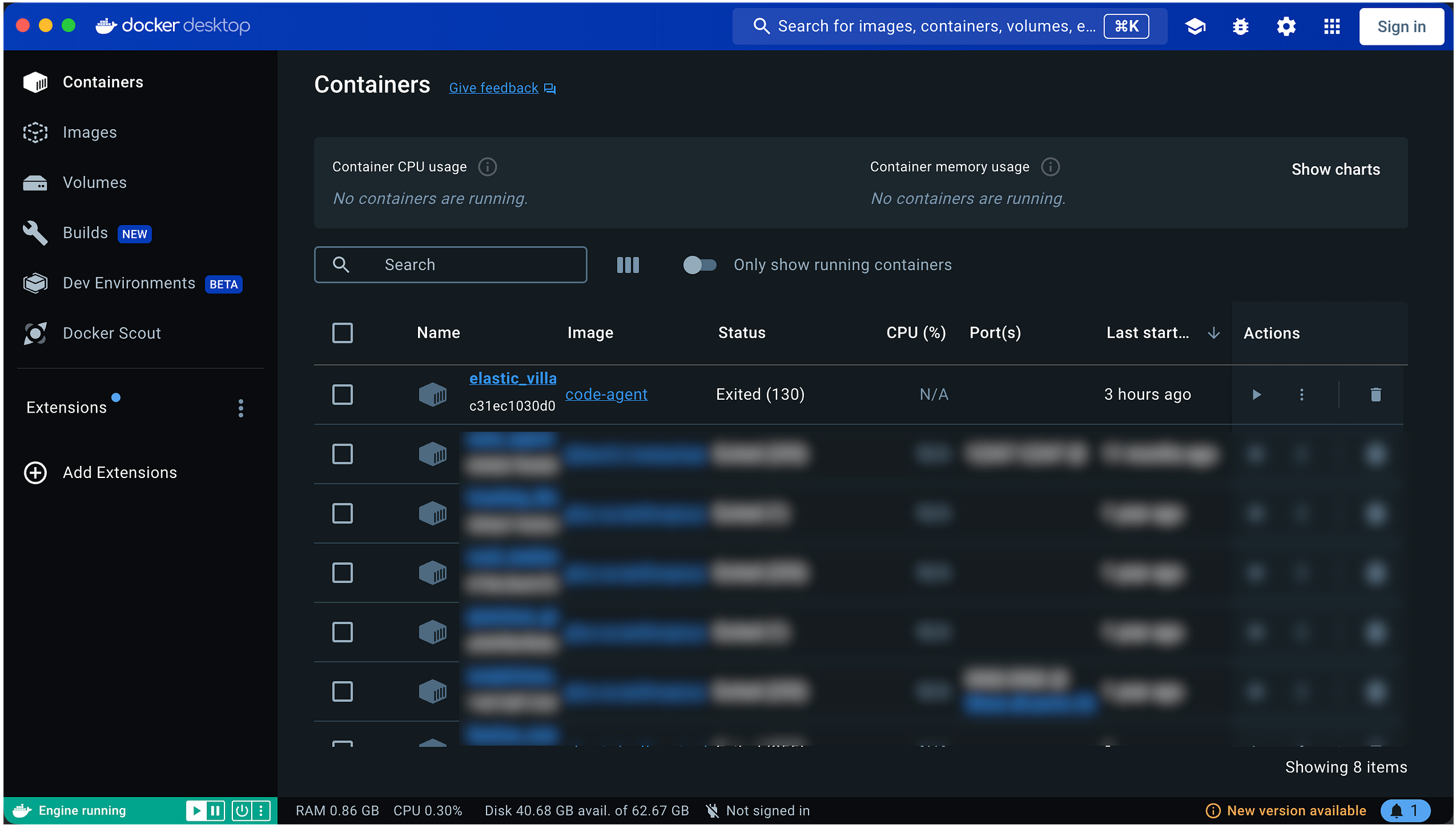
Docker packages your application and all its dependencies into an “image,” then runs that image in an isolated container with its own…
File system
Can’t see your host files unless you explicitly share them
Network
Isolated networking stack
Process space
Can’t see or affect your host’s processes
While Docker uses your host machine’s kernel, everything else remains separated and sandboxed.
Security Level — High
I would say Docker provides medium-high isolation, making it significantly safer than virtual environments.
Code running inside a container can’t access your files, can’t see other processes, and operates in a controlled environment.
You maintain explicit control over what goes in and out through mounts and ports, and you can even set CPU and memory limits.
Docker is ideal for:
Running AI-generated code you don’t fully trust
Creating reproducible environments across different machines
Situations where you need to easily reset or destroy the environment
Production deployments
Commands
docker build -t code-agent .              # Package everything
docker run -it --env-file .env code-agent # Run isolated
docker stop <container_id>                # Stop it
docker rm <container_id> # Delete itClaude Code
Sandboxing
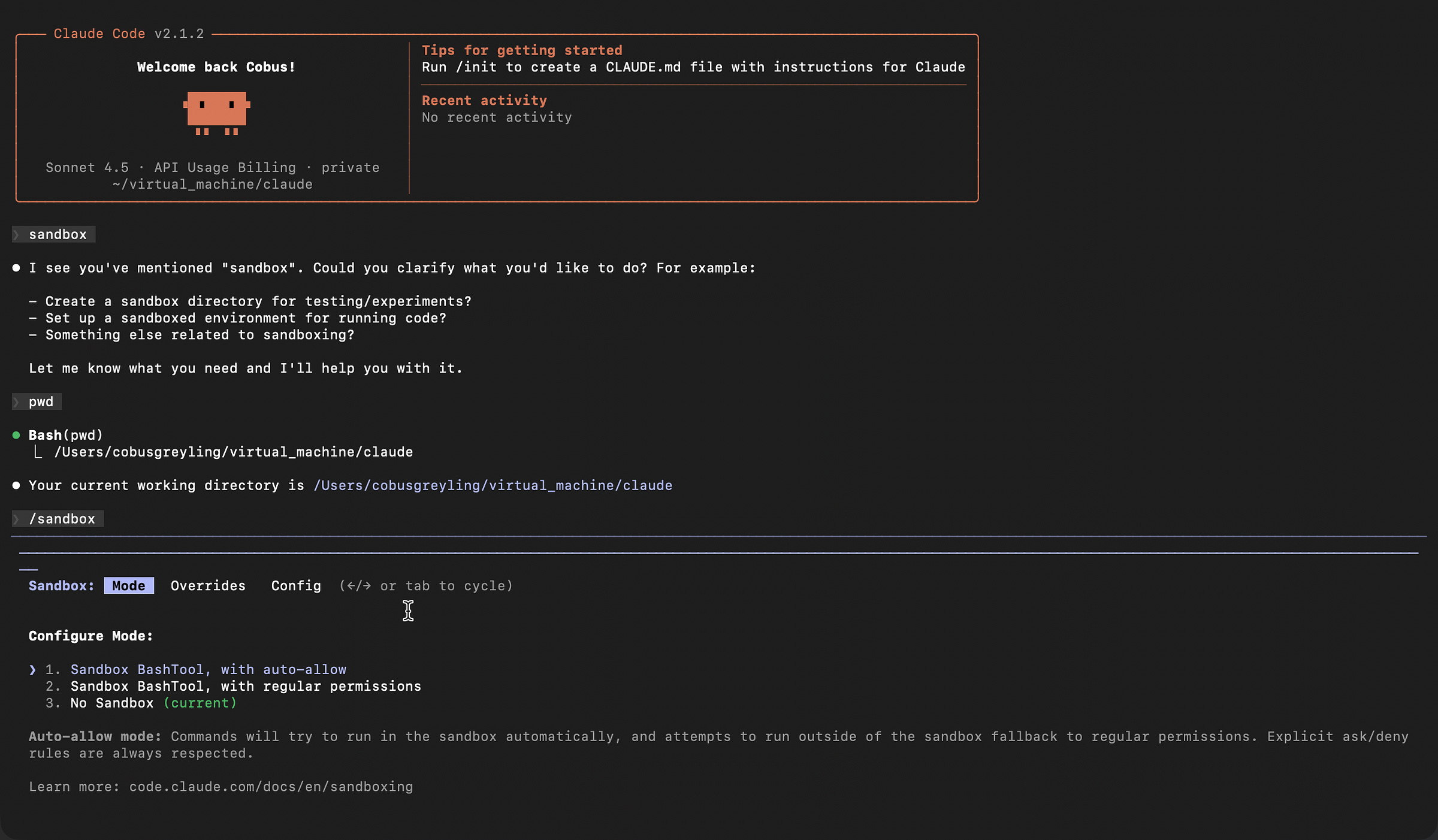
Claude Code is Anthropic’s official command-line tool that gives Claude full agentic coding abilities with built-in sandboxing.
Unlike the previous two options, this isn’t just about isolation — it’s a complete solution for autonomous coding.
Now I must say, I have not prototyped with the official Claude Code Sandboxing functionality. I always feel it is better to speak from some kind of practical experience…
Seemingly with Claude Code, the AI can read and write files, run commands, and create entire projects.
It includes built-in safety mechanisms and sandboxing, uses computer use capabilities (allowing Claude to control the terminal), and is specifically designed for autonomous coding tasks.
Claude Code offers configurable security. Anthropic has implemented guardrails, you control which directories Claude can access, and Claude asks permission for certain operations. It’s built from the ground up for agentic workflows where Claude takes the initiative.
Claude Code CLI is perfect when you:
Want Claude to autonomously write and execute code
Need Claude to manage multi-file projects
Prefer the “official” Anthropic solution
Don’t want to build your own agent infrastructure from scratch
Comparison at a Glance
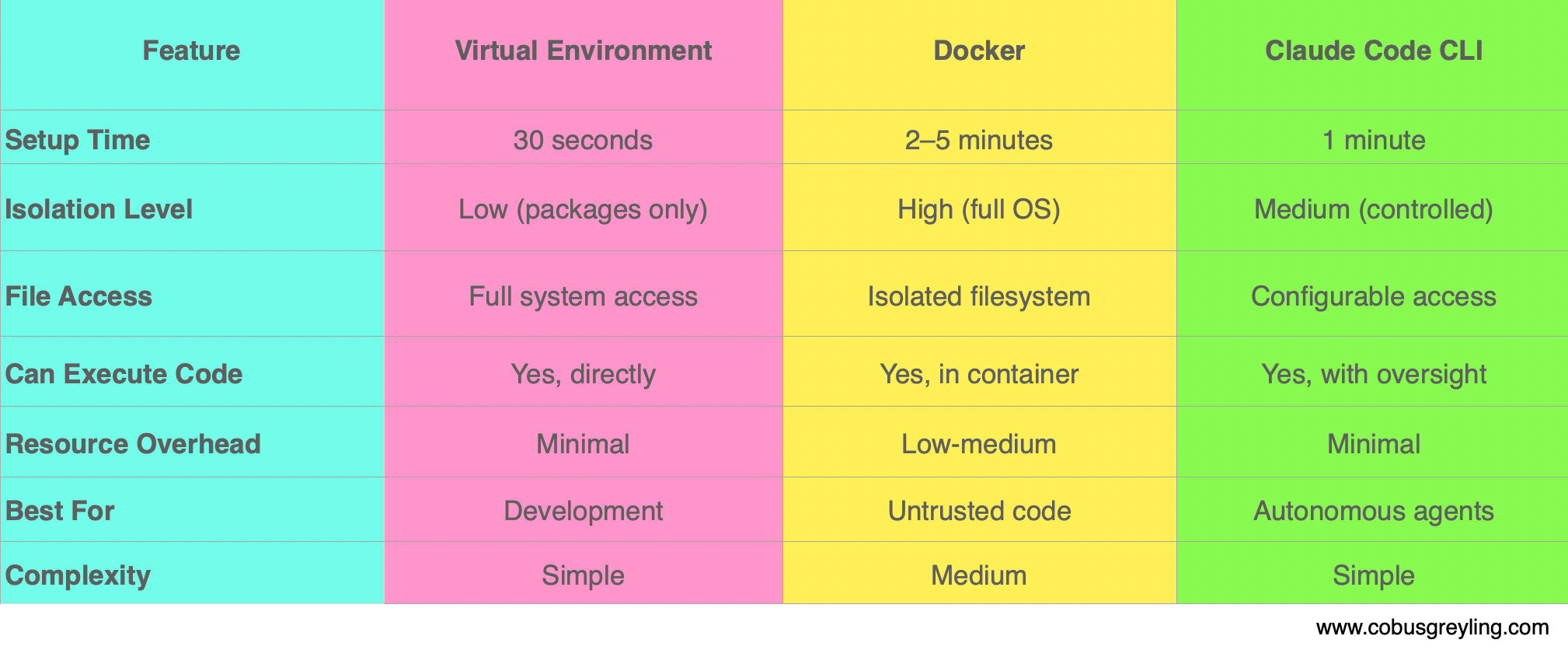
My Recommendation
Start with virtual environments to learn the basics and get comfortable with AI-generated code.
Graduate to Docker when you need real safety and isolation.
Explore Claude Code CLI when you’re ready for full autonomous development.
For building your own custom AI agent that writes code, I’d personally recommend Docker as the sweet spot between safety and flexibility. This is also what I gleaned from the forums.
However, if you want a turnkey solution with everything built-in, Claude Code CLI is the way to go.
The right choice ultimately depends on your specific use case, trust level with the generated code, and how much control you want over the execution environment.
Chief Evangelist @ Kore.ai | I’m passionate about exploring the intersection of AI and language. Language Models, AI Agents, Agentic Apps, Dev Frameworks & Data-Driven Tools shaping tomorrow.
More Resources:
Sandboxing - Claude Code Docs
Learn how Claude Code’s sandboxed bash tool provides filesystem and network isolation for safer, more autonomous agent…code.claude.com
Create custom subagents - Claude Code Docs
Create and use specialized AI subagents in Claude Code for task-specific workflows and improved context management.code.claude.com
Anthropic Says Coding Agents Are Becoming the Universal Everything Agent
Anthropic Says Coding Agents Are Becoming the Universal Everything Agent Anthropic’s vision positions coding AI Agents…cobusgreyling.medium.com
Anthropic Says Don’t Build Agents, Build Skills Instead!
Anthropic Says Don’t Build Agents, Build Skills Instead! Is Anthropic Skills Revolutionising AI Agent Design? Was 2025…cobusgreyling.medium.com
Was 2025 the year of Agents?
Was 2025 the year of Agents? Yes, and no... 2025 marked a pivotal shift where AI Agents moved from prototypes to…cobusgreyling.medium.com
Claude Code Sandboxing
Here I share the simplest example of a code writing Anthropic Skill (Universal Agent) and two ways of creating a…cobusgreyling.medium.com
There's a fourth approach worth adding to this list. Vercel's CTO built just-bash which reimplements bash entirely in TypeScript. No Docker, no VM, no real filesystem. Everything runs in memory with strict execution limits. It slots in below Docker in terms of isolation strength but the tradeoff is millisecond startup and zero infrastructure. For agents that mostly need grep, sed, jq, and file analysis it covers the gap nicely. I wrote about it here: https://reading.sh/vercels-cto-built-a-fake-bash-and-it-s-pure-genius-a79ae1500f34?sk=9207a885db38088fa9147ce9c4082e9d